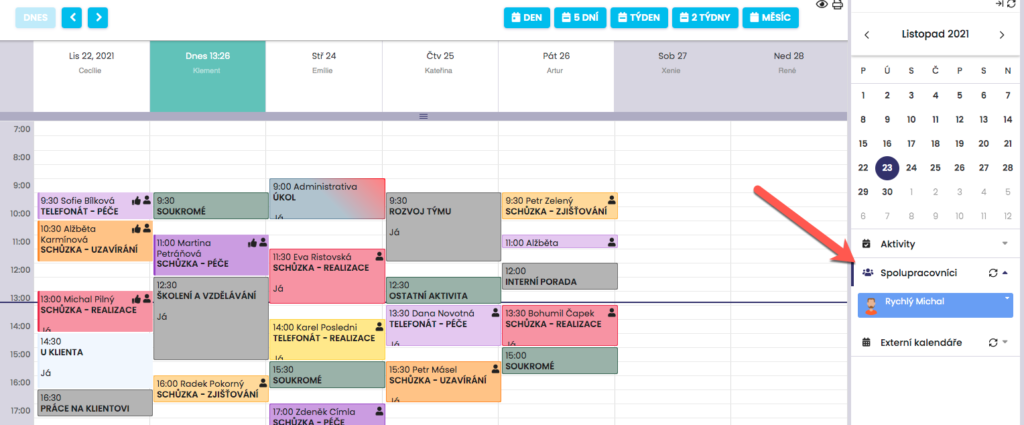
To display multiple calendars, respectively the overlay of coworker calendars, first click the Collaborators tab in the right menu.
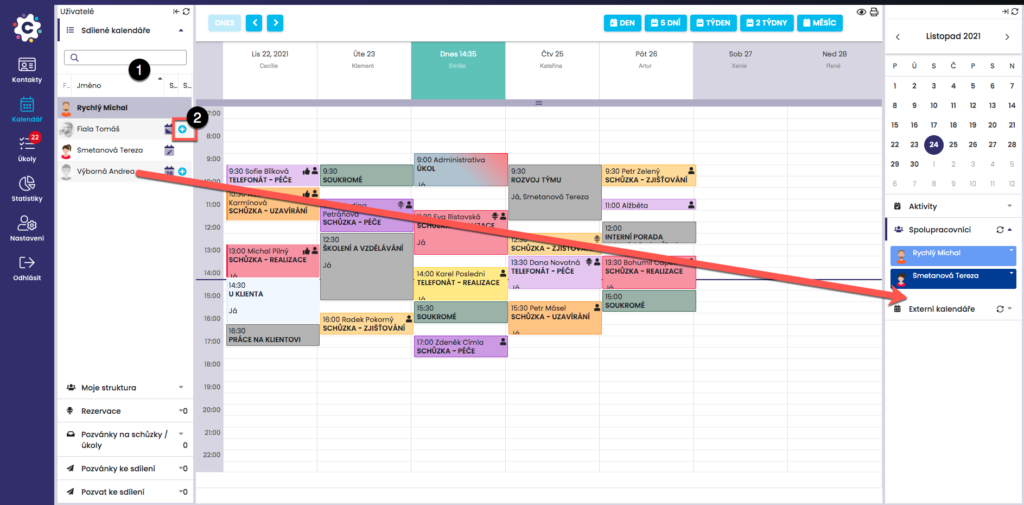
Then, using drag-and-drop, drag users from the Shared Calendars tab into the right menu under the Collaborators tab to display them simultaneously. Their calendars will be distinguished by color. You can also use the + icon, which will also add the user to collaborators.
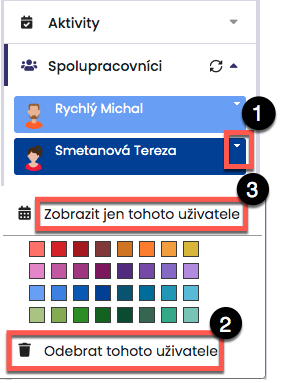
Users can be removed from the list by clicking the dropdown button and then Remove. It is also possible to display only the selected user’s calendar. You can use the color palette to change the color in which the respective collaborator is displayed in the calendar overlay, in order to ensure clear comparison.