The procedure is exactly the same as if you wanted to enter a new contact (1), you just check “organization” at the top. After filling in all the data, save.
To a saved company, you can assign already existing contacts or directly new contacts. Simply fill in the “Company” field in the contact detail. As soon as you start typing the name of the company, the corresponding saved companies will appear in the list. Select one and save again.
For a company saved in this way, all linked persons are then displayed in the detail (after clicking through) in the right column, tab “Connected persons”.
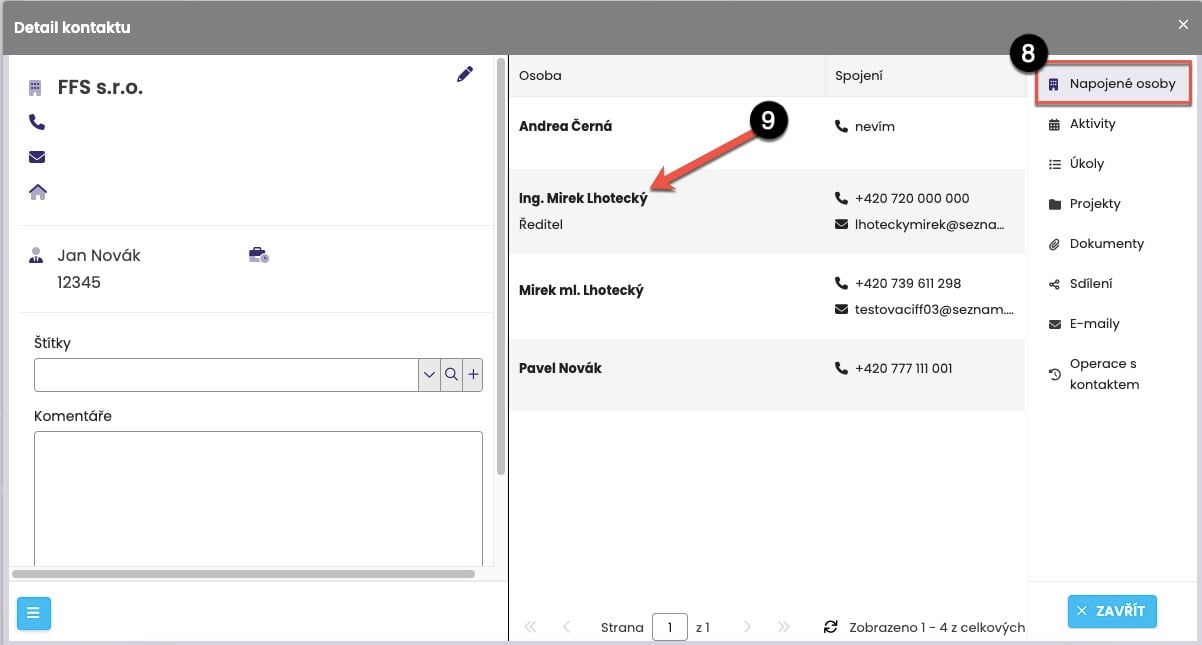
From the list of linked persons (8), you can open the required contact directly (9), and the standard contact detail (10) will be displayed, from which you can edit the contact (11) or directly create activities, tasks, projects, etc. (12).

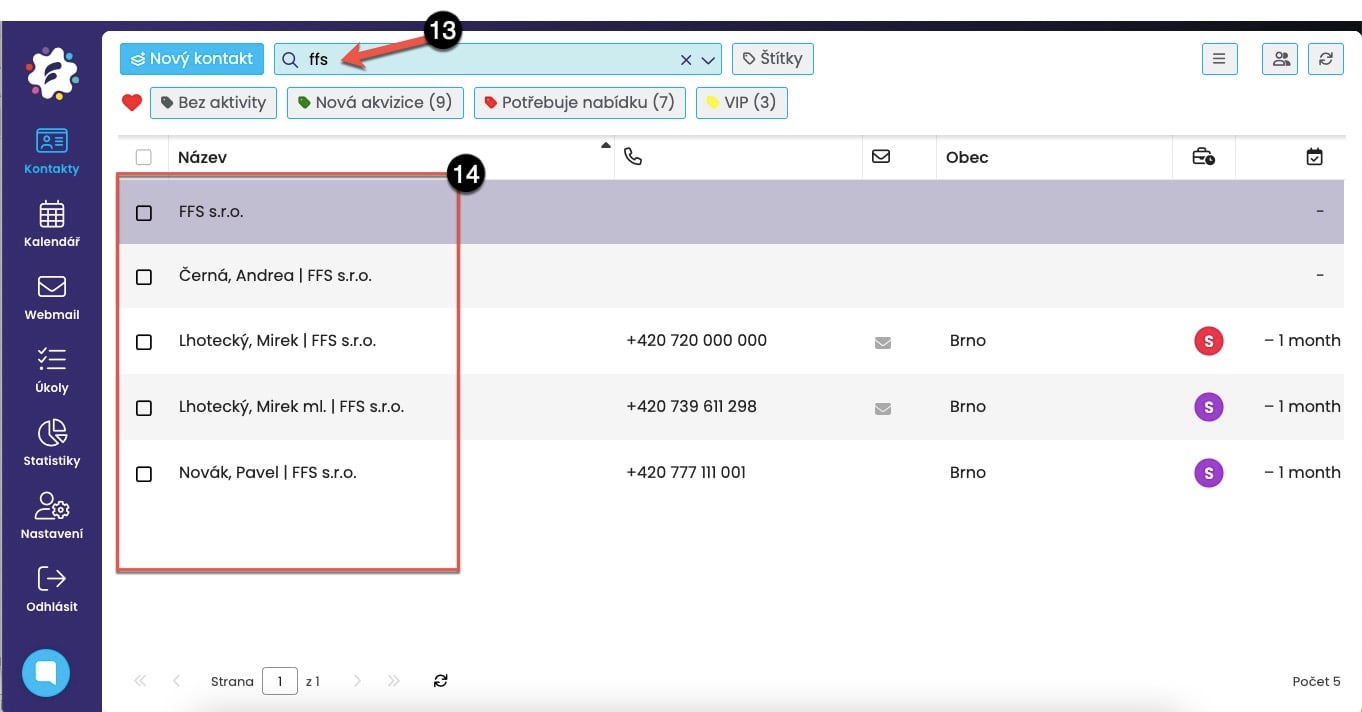
Full-text search in the contact list by company name is also a given. Simply enter the name of the desired company and FreshFlow will display both the saved company and all contacts that fall under it.