Favorite tags appear right in the top bar above your contacts. With just one click, you can show only a specific group (or groups) of contacts.
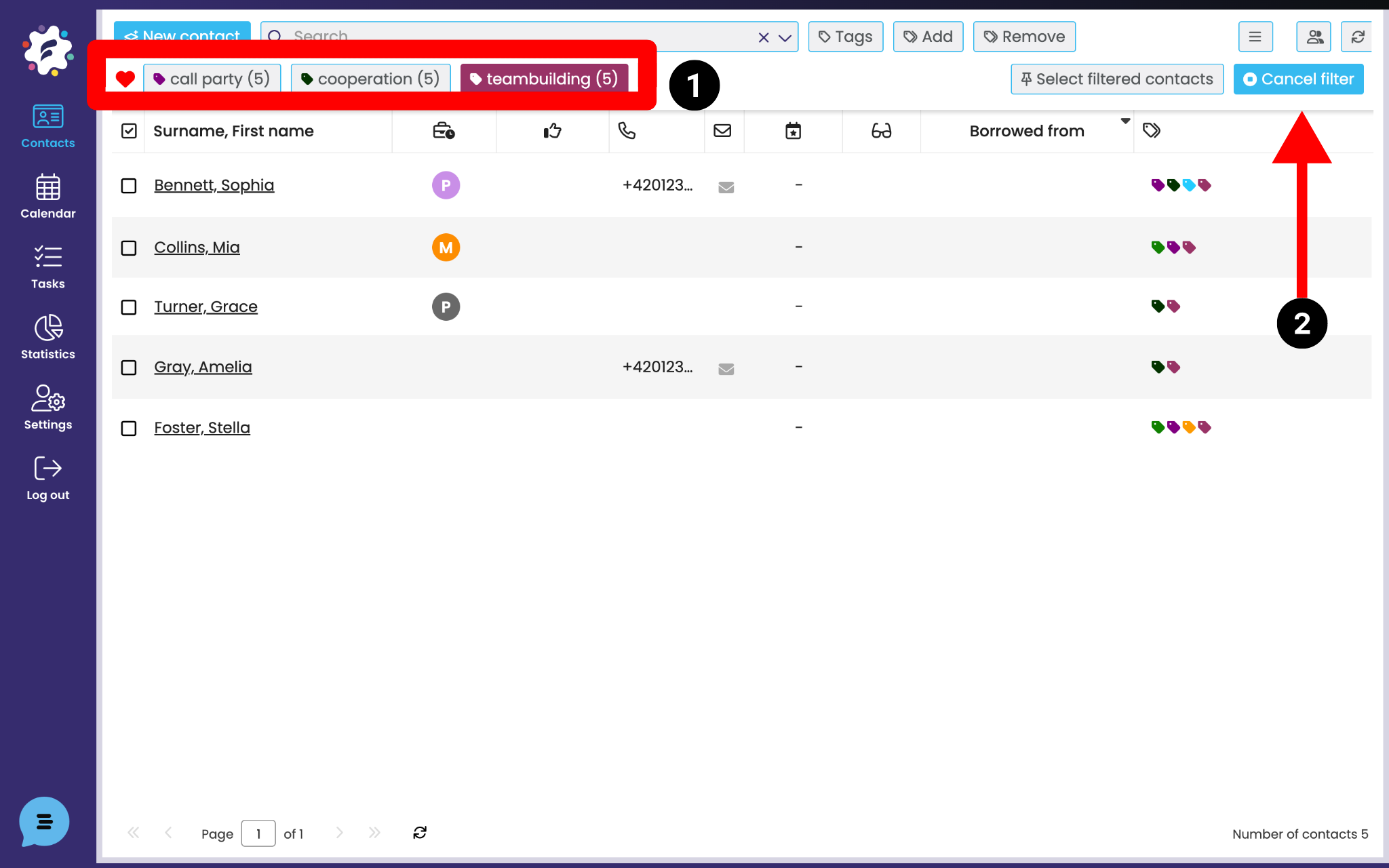
If you want to show contacts from a favorite tag, just click on it. The tag you pick will get highlighted (1). You can select more than one tag at once. If you click the selected tag again, that selection will be removed.
The Clear filter button (2) is for showing all your contacts again.
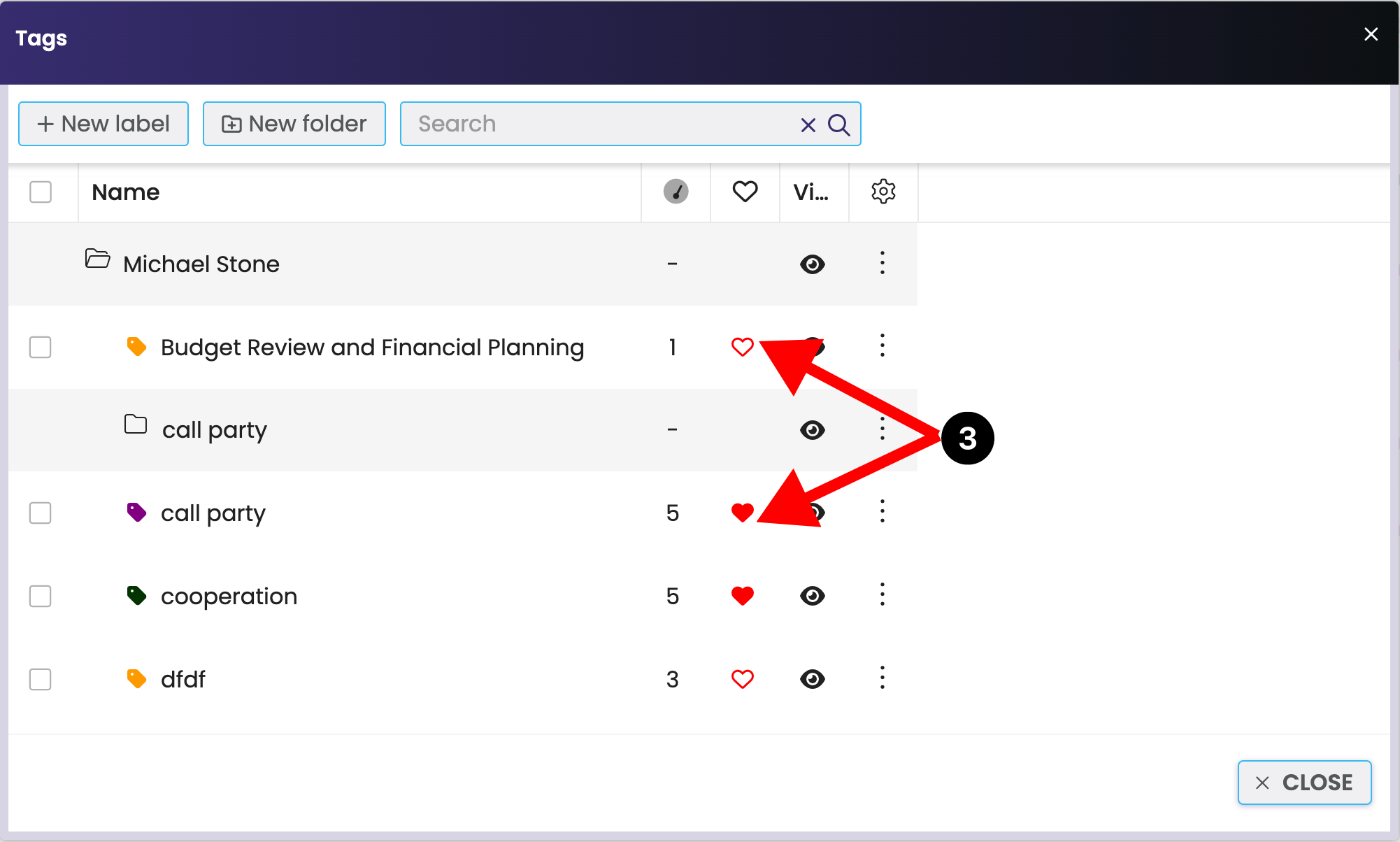
You can add a label to Favorites by opening label editing (Labels) and clicking on the heart (3) next to the label. Once the heart icon is colored in, it means the label is in Favorites.
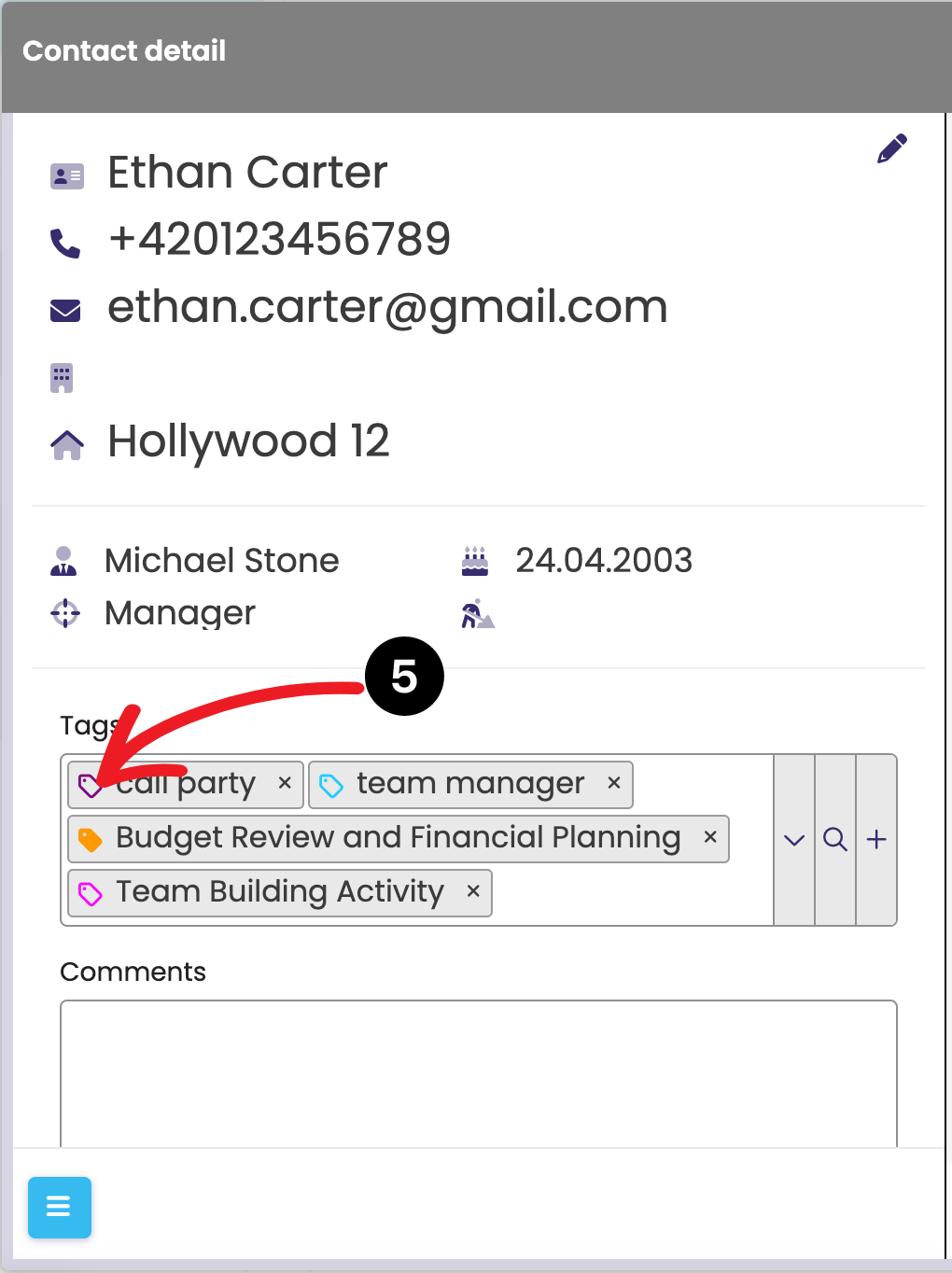
You can also add a label to Favorites from the contact detail by clicking on the label icon (4) > it gets colored in > that means it’s in Favorites.

If you click on the icon again (5), the label will “uncolor,” and that removes it from Favorites.