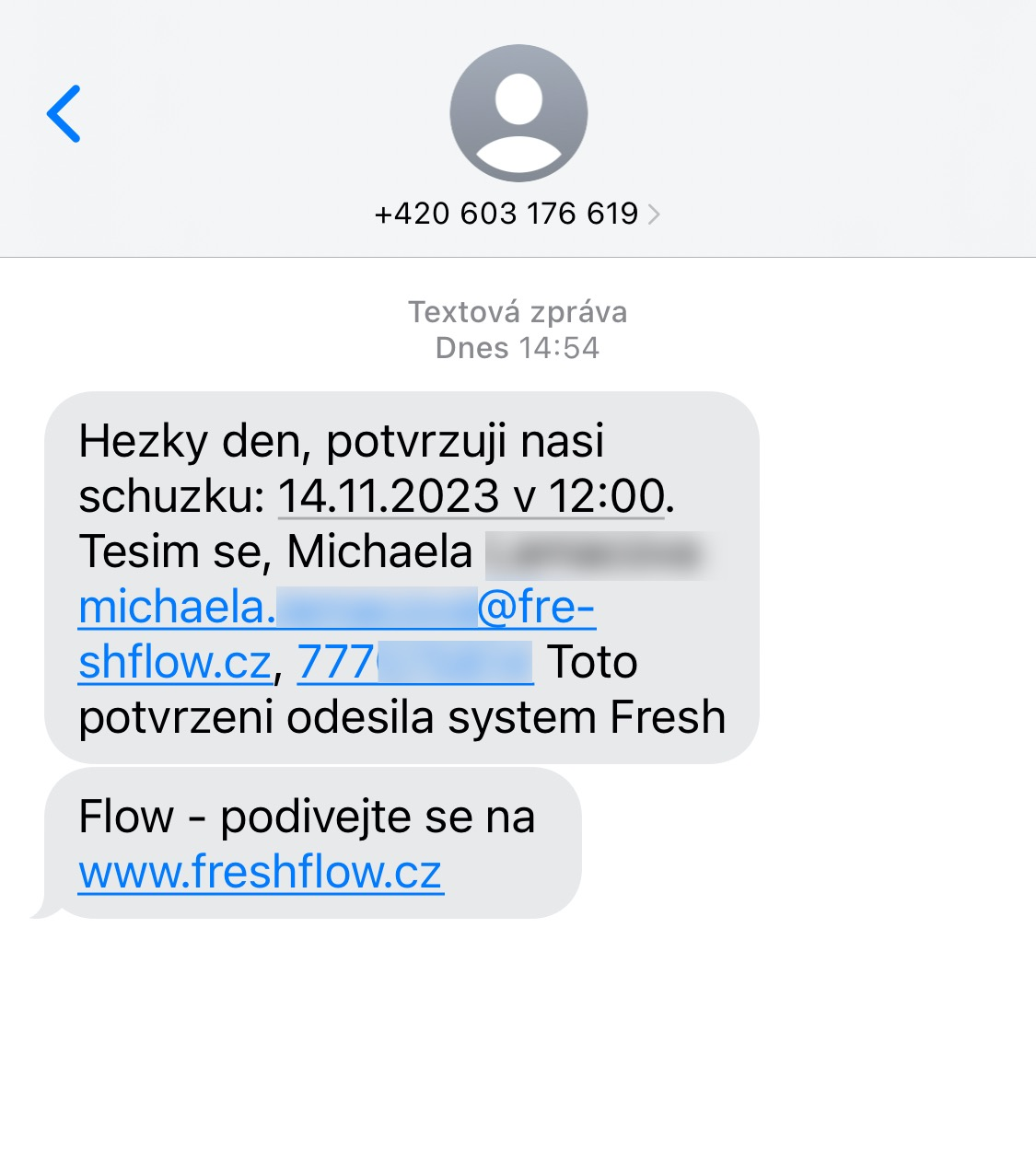
In the event detail in the Confirmations and reminders to contacts tab you can set up automatically sent e-mails or SMS messages, provided that the required data (e-mail or phone number) is filled in for the client.
Confirmation of the scheduled meeting – it is sent to the client at the moment the event is saved in the FreshFlow calendar.
Meeting reminder – it is possible to choose sending 1–2 days before the start of the meeting.
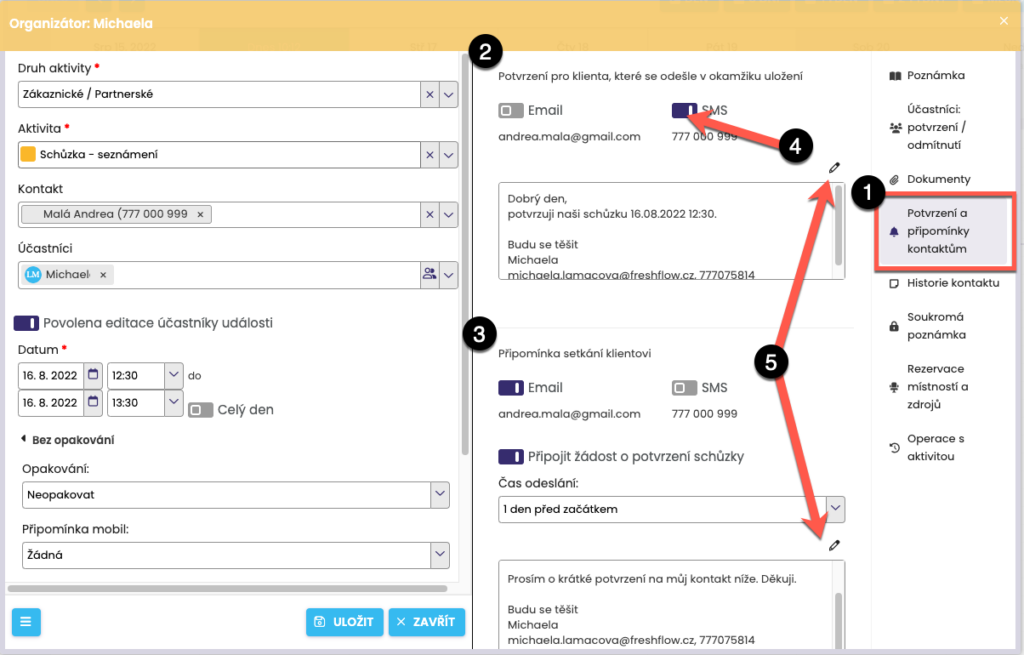
In order for the e-mail or SMS to be sent, it is necessary to check the required option for the confirmation/reminder. It will only be possible to check it if the client’s detail contains a filled-in e-mail or phone number.
You can review everything in the previews before sending and, if necessary, adjust the text by clicking pencil.
The sent message (e-mail as well as SMS) ALWAYS contains the name, e-mail and, where applicable, the phone number of the event organizer.
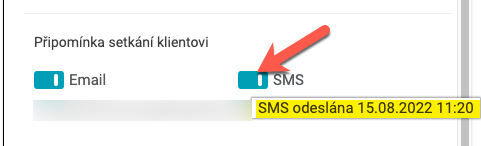
You can find out whether a reminder or confirmation has been sent. Hover the mouse over the toggle next to SMS or email and the date and time when it was sent will be displayed. If it has not been sent, nothing will be displayed.
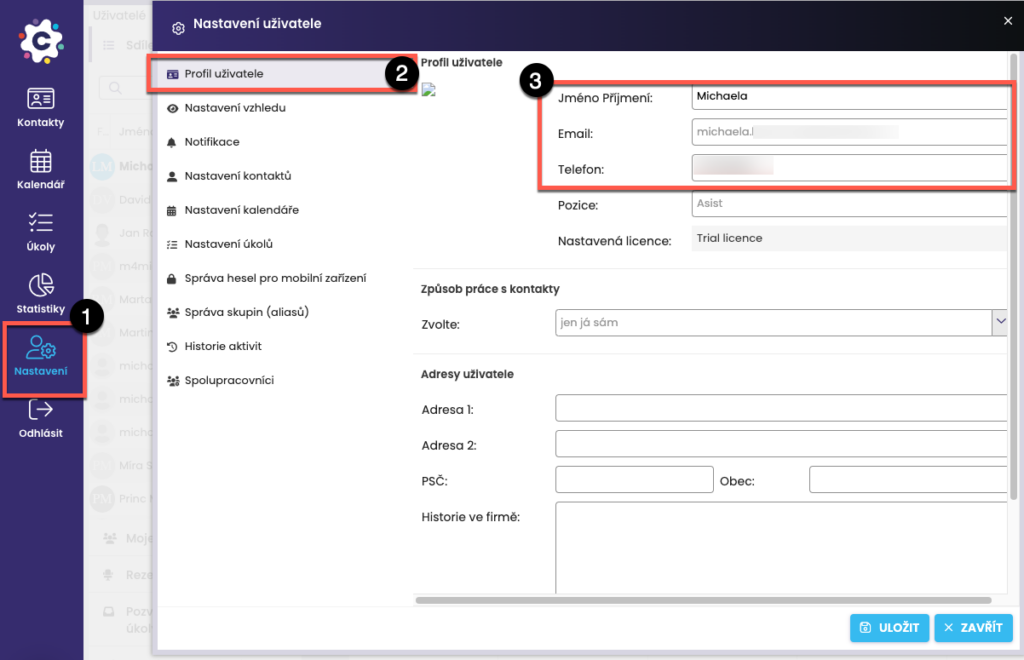
If you wish your telephone number to be included in the signature of an email or SMS message, please check whether it is filled in under User Profile.
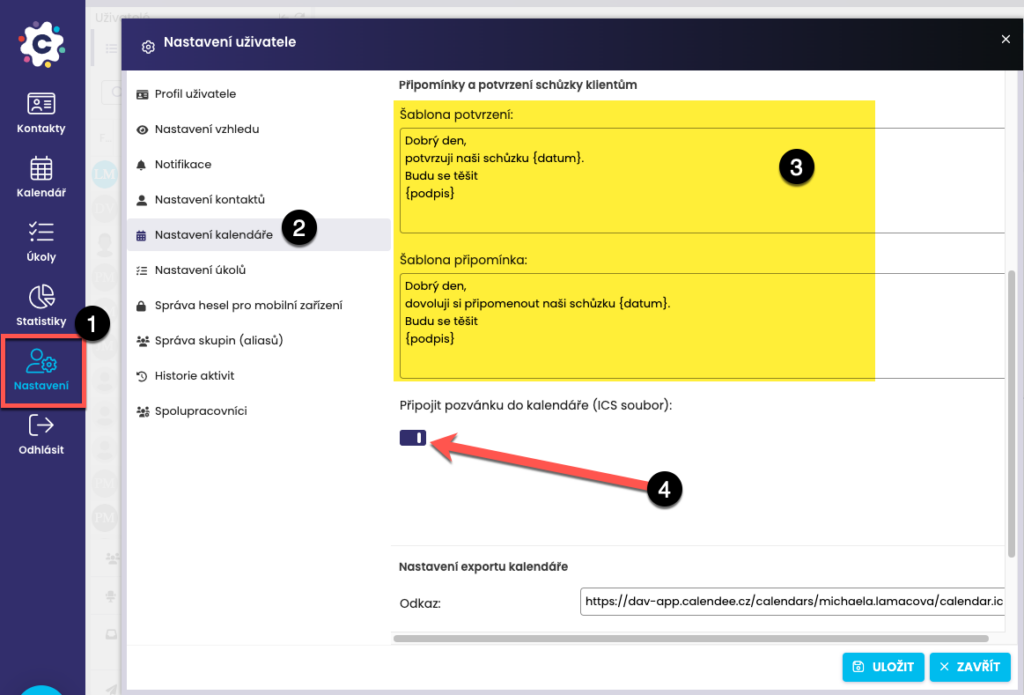
Adjust the default text template for confirmations and reminders as you wish. Open Settings > Calendar > Confirmation and reminder settings, where the texts can be edited.
You can also attach an invitation to the calendar directly to the confirmation – it will be displayed to the client in the email as an attachment (ICS file). After opening it, the event will be inserted into the client’s calendar; you also have the option to set an SMS reminder for each event.